
A file association tells macOS which app should open a type of file when you double-click it. It is useful when PDFs, source code or notes keep opening in an app you do not want. A default app must still support the file’s contents; changing the association does not convert the file.
Method 1: Use Finder
- In Finder, select a sample file such as example.pdf.
- Press Command–I, or choose File → Get Info.
- Expand Open with and choose your preferred app. If it is missing, choose Other and locate the installed app.
- Click Change All and confirm the macOS prompt.
- Double-click another file of the same type to check the new default.
Method 2: Manage associations with Pahkui
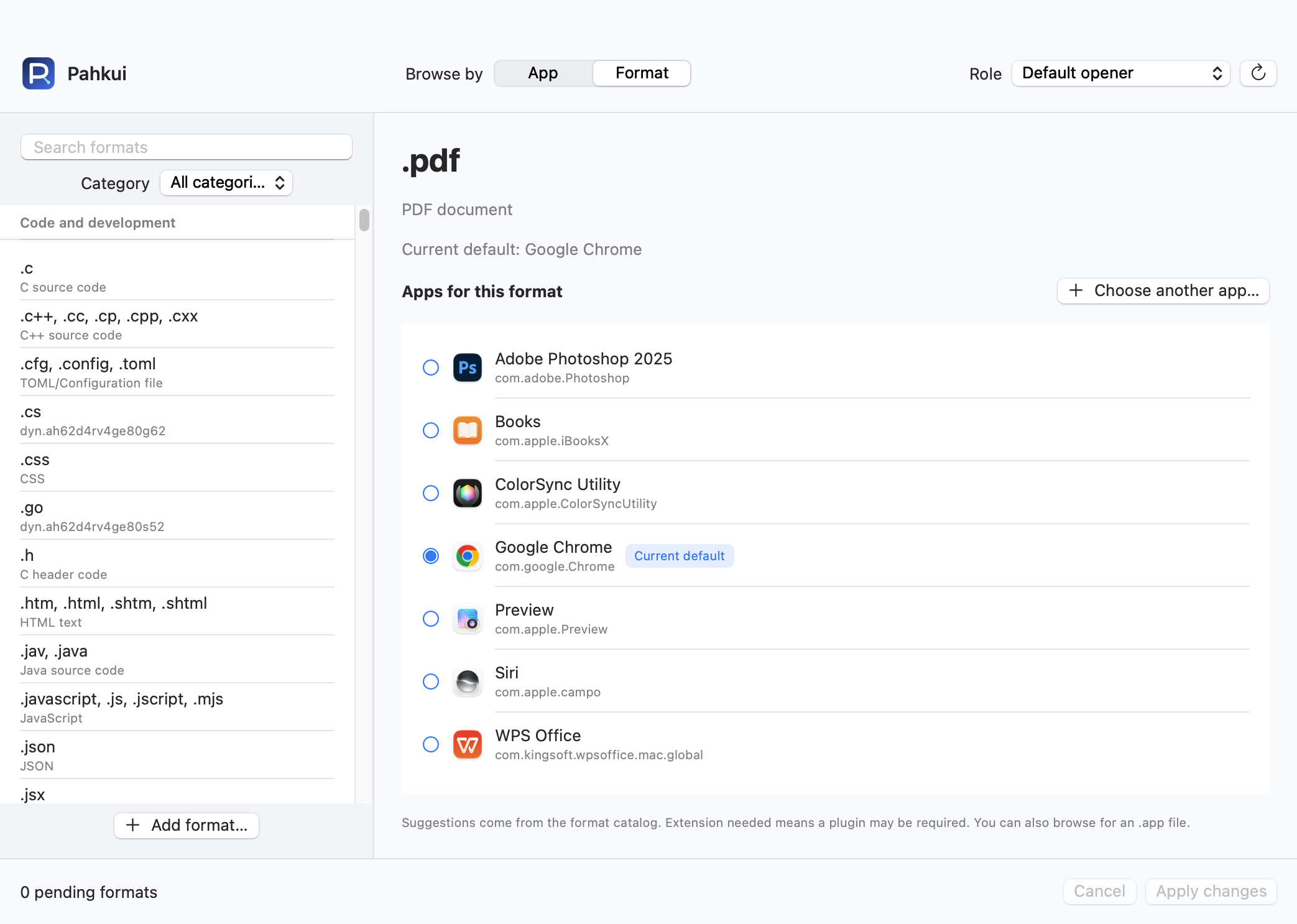
Pahkui lets you browse by app or by format. When setting up an editor for several file types, you can inspect the current defaults and review pending changes in one window. Requires macOS 14 or later.
- Open Pahkui, switch to Format, and search for the extension you need from .pdf, .txt, .css and more.
- Select your preferred app. Use Choose another app if it is not listed.
- Review the pending association, click Apply changes, and confirm the new app in the macOS dialog.
Some formats require Pahkui Pro, a one-time purchase for lifetime use. The manual Finder method does not require a purchase. See pricing
If the default app does not change
- If you want to open a file once in a different app, use Open With. For a type-wide default, use Get Info and Change All.
- If an app is absent from the list, choose Other and browse to the installed .app. Check that the app can actually read the file type.
- If you choose Keep in the macOS confirmation dialog, the existing default stays in place. Confirm the new app when you intend to apply the change.
Common questions
Can I change several file types together?
Finder handles the type represented by the selected file. Pahkui provides an app-based view where you can select several formats and review the changes together.
Is Pahkui required to change a default app?
No. Finder provides a built-in method. Pahkui is an optional tool for browsing and managing associations in one place.